
Coming to iPhone
Allowance that teaches.
PaySight turns a weekly allowance into a money lesson. Kids earn it through jobs and good choices, split it into Spend, Save, and Give, rent screen time with their own money, and ask before they buy. Parents set the rules and approve with a tap.
One email when PaySight is ready. Nothing else, and you can leave the list any time.
How it works
Earn it. Split it. Decide what it's for.
Every dollar has a reason, and the history shows it. That is the whole lesson.
Set the allowance
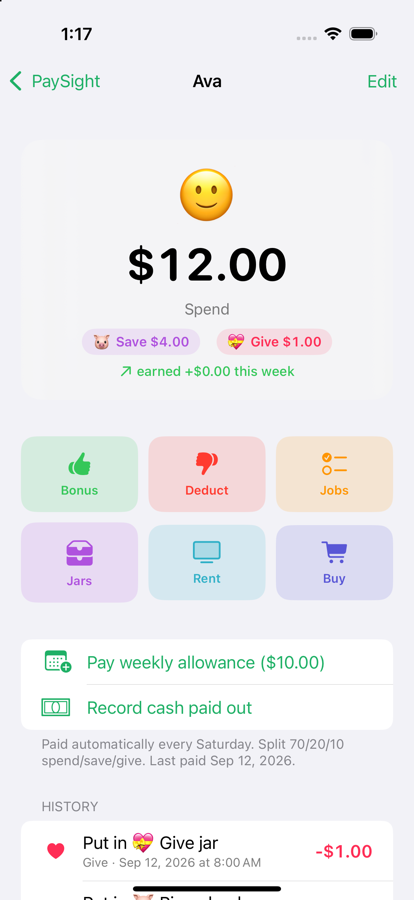
Pick the weekly amount and the pay day. PaySight pays it on schedule, and can split it automatically, say 70% spend, 20% save, 10% give.
Earn it
Homework done, someone helped, a good grade: bonus. Talking back, chores skipped: deduction. Jobs you set up pay when your child marks them done and you approve.
Put it in jars
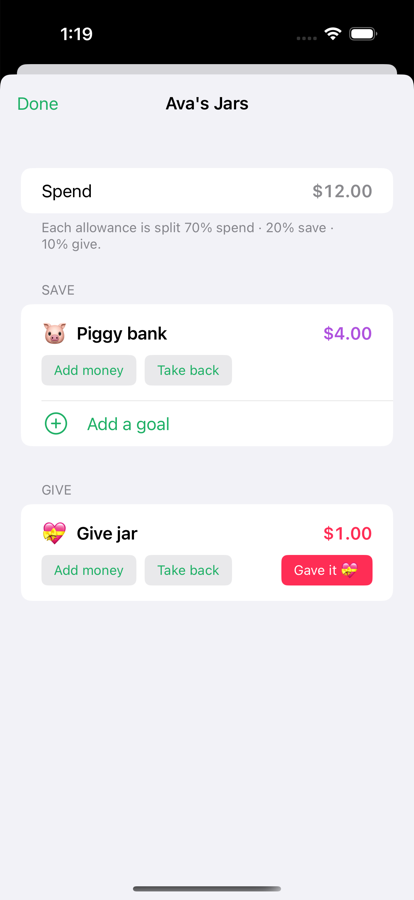
Spend is for now. The piggy bank and goals are for later: a bike, a game. The give jar is for someone else. Kids move money between them and see it go.
Spend it on purpose
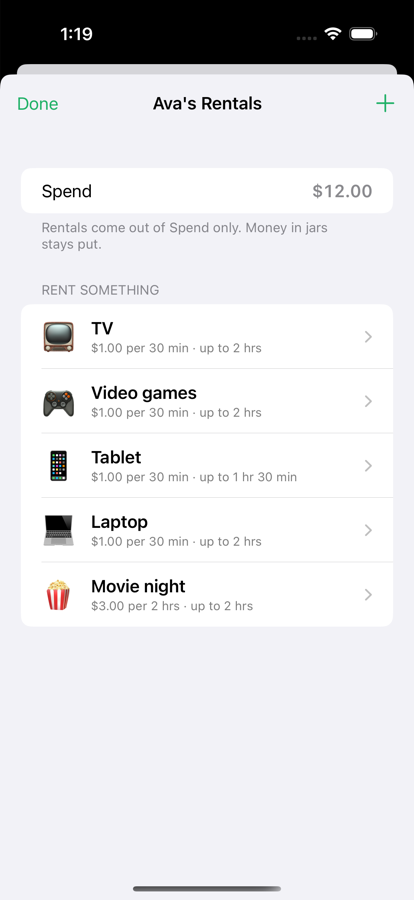
Rent the TV or the laptop by the half hour with a live countdown. Ask to buy something and get a yes or no. Real cards and real money are next.
Features
Built for one household at a time
Designed by a parent who wanted his kids to see where money comes from, where it goes, and why.
Jobs with approval
Kids tap "I did it". You approve or say not yet. Repeatable chores and one-time jobs.
Jars and goals
Spend, Save, and Give, with goals that show progress. Money moves between jars, never disappears.
Rent screen time
Put a price on the TV, games, or a laptop. Kids pay from Spend, a countdown runs, and unused time is refunded.
Ask to buy
Kids request a purchase with a reason. You approve, decline, or front the difference. Every answer is recorded.
Parent PIN, kid mode
Hand over the phone without worry. Kids see balances and make requests; only a parent can add or take money.
Synced across your devices
Both parents see the same balances through iCloud. Pay-day reminders so nobody forgets.
A look inside
For parents
Straight answers
- Is this real money? Not yet. Today PaySight is a ledger you and your kids trust, and you settle up in cash or Apple Cash whenever you like. A family plan with real funds and a card for each child is in development.
- Who can see my family's data? You. Balances and history live on your devices and in your own iCloud account. There are no ads, no trackers, and no accounts for children.
- Do my kids need their own phone? No. Kid mode lets them use yours safely. If they have one, iCloud keeps every device in step.
- What does it cost? The allowance app will be free. The real-money family plan will be a monthly subscription, announced before it launches.
- Who makes it? Digitier, LLC, a technology studio in Riverside, California, founded by a parent and former bank CIO.